
Code template node
<html>
 <head>
<style>
table, th, td {
    border: 1px solid black;
}
table.table1 tbody tr td {
    text-align: center;
}
</style>
</head>
<body>
	<h1>Tabelloversikt med siste data</h1>
<table>
	<thead>
        <tr>
        <th>Lastcheck</th>
        <th>Host</th>
        <th bgcolor="cyan"> Name</th>
        <th bgcolor="yellow"> Status</th>
        </tr>
    </thead>
    <tbody>
        {{#payload}}
            <tr>
            <td> {{lastcheck}}</td>
            <td> {{host}}</td>
            <td> {{name}}</td>
            <td> {{status}}</td>

            </tr>
        {{/payload}}
    </tbody>
</table>
</body>
</html>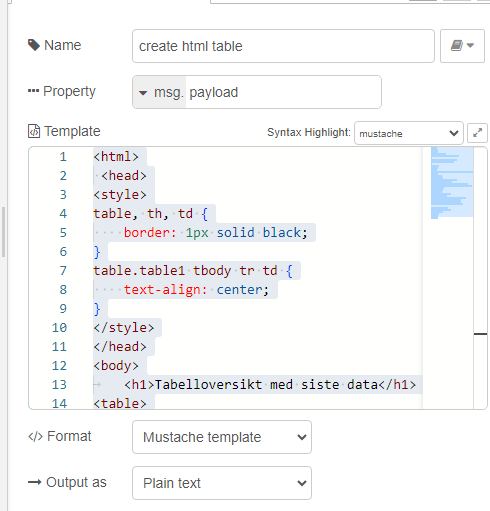
template node settings, se above
Complete flow:
[
    {
        "id": "3c861534.f6423a",
        "type": "template",
        "z": "293dc41742444c84",
        "name": "create html table",
        "field": "payload",
        "fieldType": "msg",
        "format": "handlebars",
        "syntax": "mustache",
        "template": "<html>\n <head>\n<style>\ntable, th, td {\n    border: 1px solid black;\n}\ntable.table1 tbody tr td {\n    text-align: center;\n}\n</style>\n</head>\n<body>\n\t<h1>Tabelloversikt med siste data</h1>\n<table>\n\t<thead>\n        <tr>\n        <th>Lastcheck</th>\n        <th>Host</th>\n        <th bgcolor=\"cyan\"> Name</th>\n        <th bgcolor=\"yellow\"> Status</th>\n        </tr>\n    </thead>\n    <tbody>\n        {{#payload}}\n            <tr>\n            <td> {{lastcheck}}</td>\n            <td> {{host}}</td>\n            <td> {{name}}</td>\n            <td> {{status}}</td>\n\n            </tr>\n        {{/payload}}\n    </tbody>\n</table>\n</body>\n</html>",
        "output": "str",
        "x": 330,
        "y": 80,
        "wires": [
            [
                "f101d78de6317bb7",
                "f7b6544bf86182b7"
            ]
        ]
    },
    {
        "id": "f101d78de6317bb7",
        "type": "file",
        "z": "293dc41742444c84",
        "name": "",
        "filename": "c:\\temp\\html\\test.html",
        "filenameType": "str",
        "appendNewline": true,
        "createDir": true,
        "overwriteFile": "true",
        "encoding": "none",
        "x": 580,
        "y": 140,
        "wires": [
            []
        ]
    },
    {
        "id": "f7b6544bf86182b7",
        "type": "debug",
        "z": "293dc41742444c84",
        "name": "debug 441",
        "active": true,
        "tosidebar": true,
        "console": false,
        "tostatus": false,
        "complete": "false",
        "statusVal": "",
        "statusType": "auto",
        "x": 570,
        "y": 80,
        "wires": []
    },
    {
        "id": "13eaed3b80cb2faa",
        "type": "inject",
        "z": "293dc41742444c84",
        "name": "json-input",
        "props": [
            {
                "p": "payload"
            },
            {
                "p": "topic",
                "vt": "str"
            }
        ],
        "repeat": "",
        "crontab": "",
        "once": false,
        "onceDelay": 0.1,
        "topic": "",
        "payload": "[{\"lastcheck\":\"2024-08-09T18:49:35.634Z\",\"host\":\"192.168.68.1\",\"name\":\"server1\",\"status\":17},{\"lastcheck\":\"2024-08-09T18:49:35.636Z\",\"host\":\"192.168.68.129\",\"name\":\"tnnas1\",\"status\":11},{\"lastcheck\":\"2024-08-09T18:49:35.636Z\",\"host\":\"192.168.68.249\",\"name\":\"server88\",\"status\":8},{\"lastcheck\":\"2024-08-09T18:49:38.387Z\",\"host\":\"192.168.68.121\",\"name\":\"server7\",\"status\":false}]",
        "payloadType": "json",
        "x": 120,
        "y": 80,
        "wires": [
            [
                "3c861534.f6423a"
            ]
        ]
    }
] Node-RED LoRaWAN CouchDB and more
Leave a comment